Participant field guide
A practical structure for handling claims, images, video context, and source packs.
This app brings together the original workshop documents and approved NotebookLM outputs while keeping one rule visible: a recap is useful, but it is not evidence, and publication judgment remains human.
Designed for live workshop use and later reuse: start with the task, choose the tool, follow the workflow, then return to the source.
Quick paths
A bilingual field guide that helps journalists use AI tools for verification without mistaking summaries for evidence.
Start here
Session framing, working model, and how to use the app as a participant.
Tools by task
A quick filter for choosing the right tool for claim breakdown, document review, or visual checks.
Verification workflows
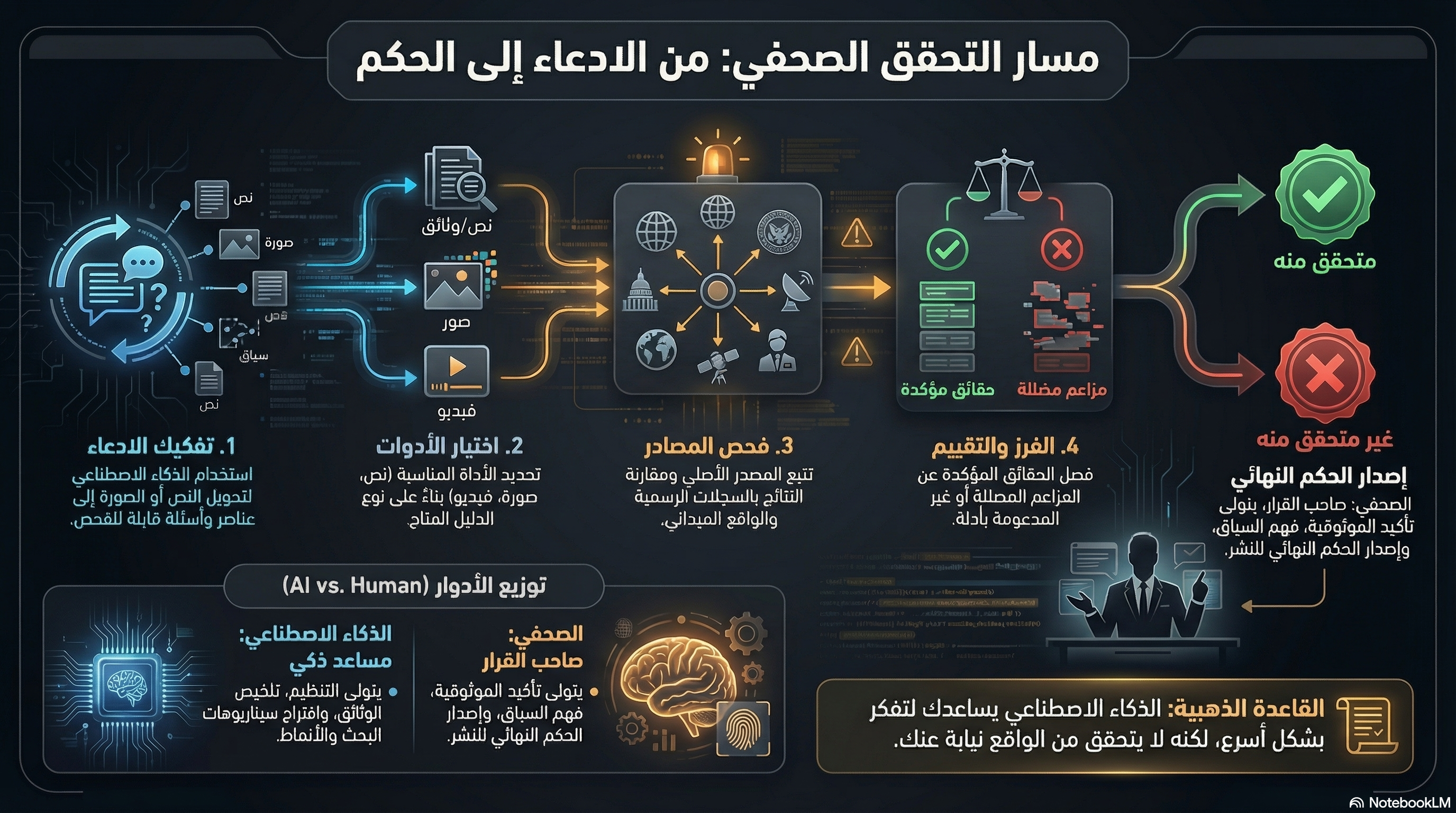
Practical steps for text claims, images, video context, and document packs.
Recaps and explainers
NotebookLM outputs placed in context and tied back to their sources.
LLM and Tool Guide
This guide organizes tool choice around the task: breaking a claim down, reviewing documents, tracing an archived page, or supporting image and video checks.
- A quick picker for which tool to start with and what to verify manually after.
- Practical profiles for eight tools and models.
- A reminder that no tool should be trusted as the final truth on its own.
Digital Verification Map: Match the Tool to the Task
A visual map that combines LLMs and verification tools while re-centering human judgment.
Works as a quick visual panel during or after the workshop, but still needs the full tool guide behind it.
Source vs recap
Whenever you encounter a visual explainer or summary asset, step back into the source document or full PDF before making a judgment.
LLM and Tool Guide
This guide organizes tool choice around the task: breaking a claim down, reviewing documents, tracing an archived page, or supporting image and video checks.
Digital Verification Map: Match the Tool to the Task
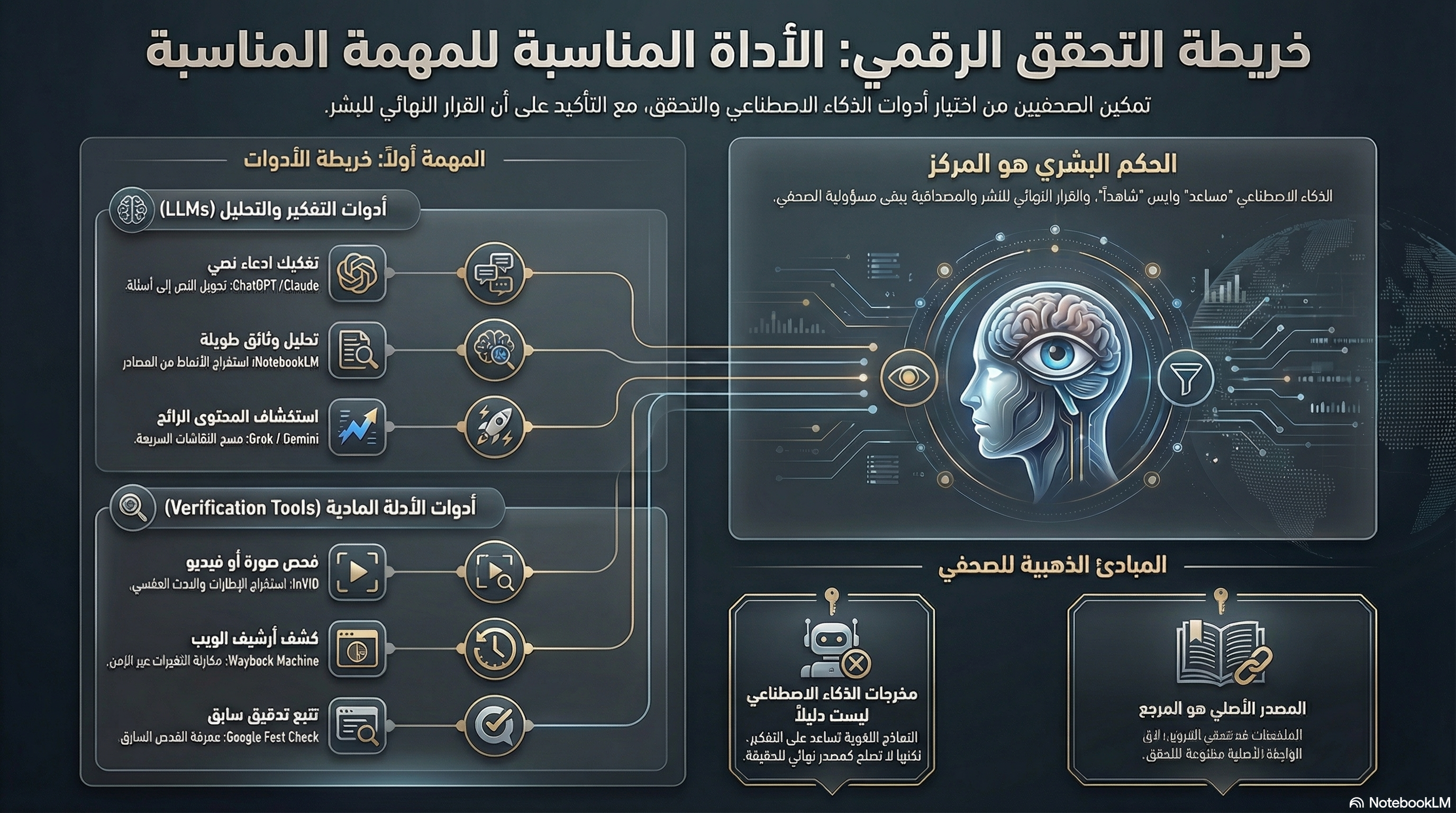
Works as a quick visual panel during or after the workshop, but still needs the full tool guide behind it.
Start from the door you need
These three entry points work for live session use or later post-workshop review.
Checking a Textual Claim
Work out what exactly is being claimed, what can be checked, and what evidence should exist if the claim is true.
Handling a Suspicious Image
Check whether the image is authentic, current, and correctly described.
Reviewing a Video or Context Claim
Separate what the footage actually shows from what the caption or claimed context adds to it.